About this Article
MAST StaffA New MAST Subscription Service
MAST has switched to a new Subscription interface and service, updating a system that was over a decade old. The new service includes several improvements: a more accessible UI, better integration with our modern search forms, and improved email content. If you had subscriptions defined in our old service, they’ve been migrated to our new system, and you’ll see them once you sign in to your account.
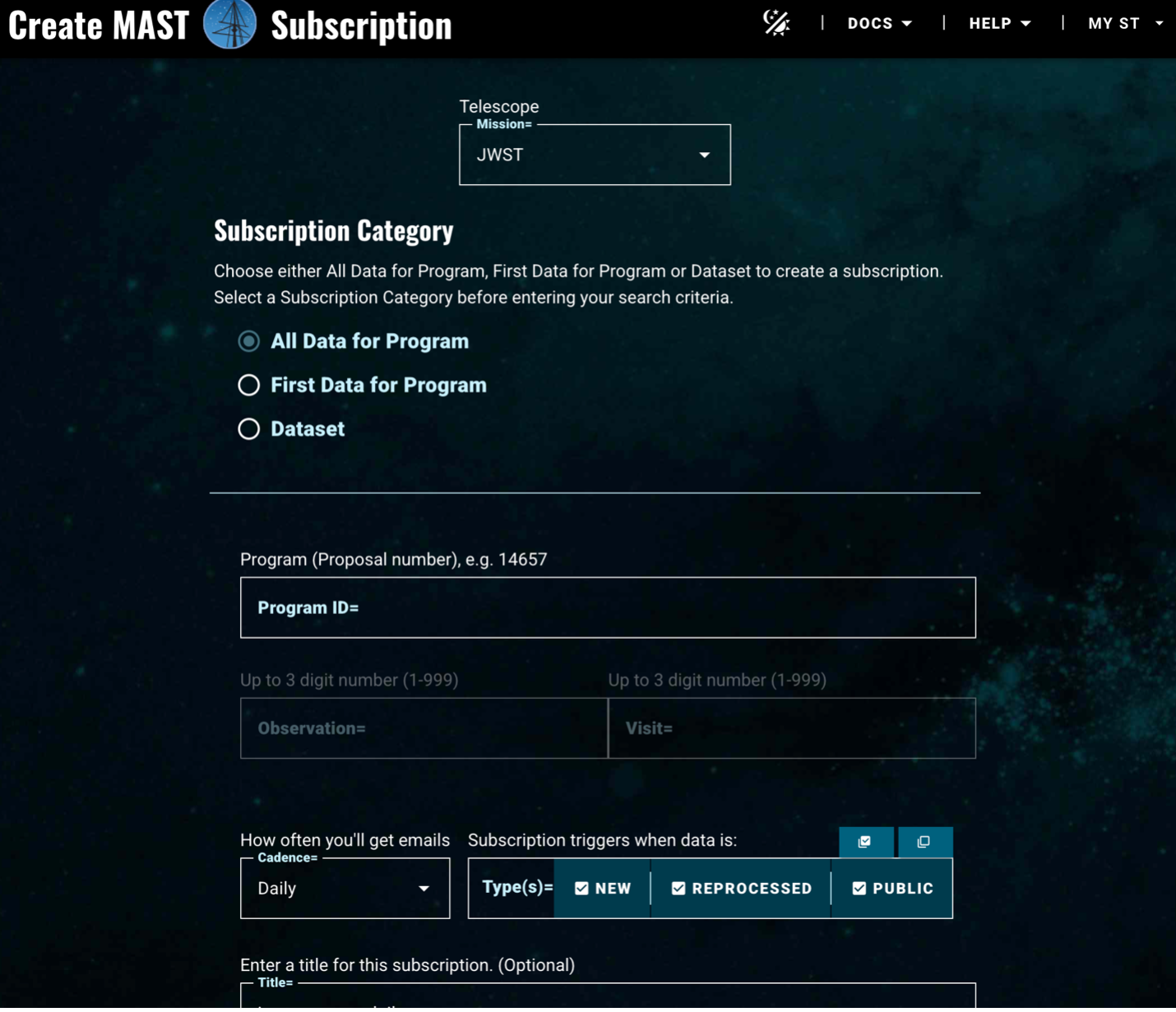
The new Subscription form (see figure 1) supports our flagship missions: HST, JWST, and Roman. You can subscribe to get notices by Program or dataset ID. In the case of JWST, you can further specify an Observation and Visit ID within a Program and for Roman (once the mission is active), a Pass and Segment number within a Program. Most users will want hourly notifications, to get a notice as soon as updates hit the Archive, but you may find our daily cadence better suited to your needs.
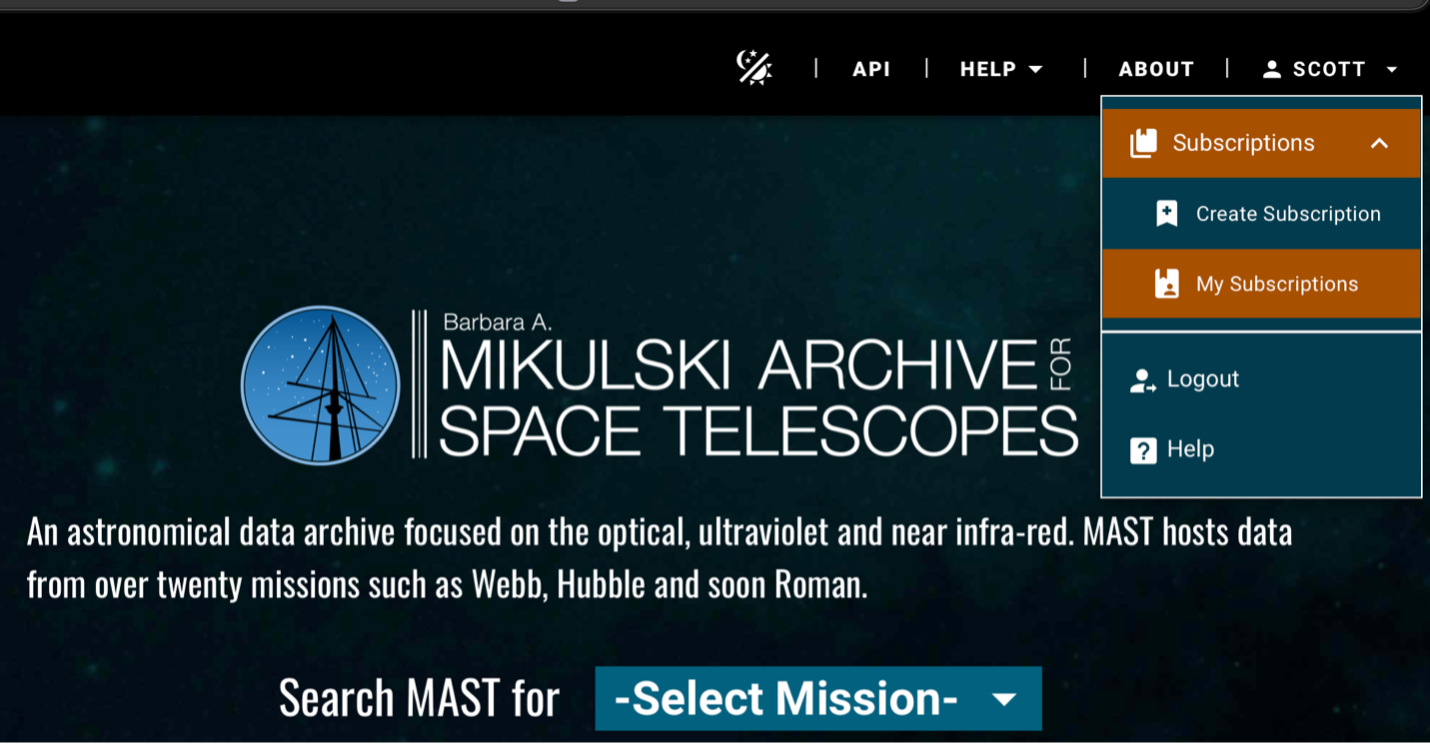
In addition to visiting the Subscription interface directly, you can also create subscriptions or see your current ones via our Mission Search interface. Once you are signed into your MyST account, you’ll find these Subscription options available under your account menu in the upper right (see figure 2). You can create Subscriptions from within our modern search interfaces now!
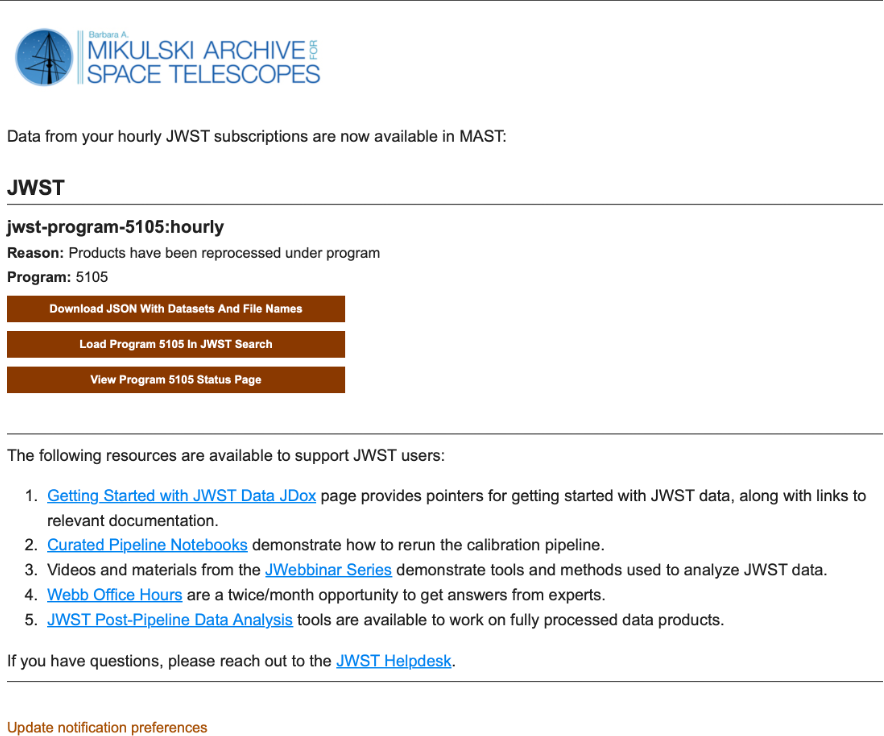
Perhaps the biggest change is an update to the format of the emails you receive. In addition to a newly styled layout (see figure 3), links will take you to the appropriate mission search form to provide more direct access to those datasets, rather than to our multi-mission search form. New with this service, each notification also includes a link to a JSON file containing every specific file that triggered a notification during the window. This provides specific information on the calibrated science products that changed status, a big improvement from the old service that linked to all datasets in a program whether they changed status or not. You can even directly pass this JSON file into astroquery.mast to download those products directly!
We’ve created a Subscription Migration Guide that summarizes differences between the old and new service, and some examples of how to make a new subscription with our new interface. As always, if you have any questions or issues, file an Archive help desk ticket.